Filter what earns a place
Require or exclude keywords and tags. Limit age and length. Skip duplicates before turning source items into posts.
Click to enlarge
AI MODELS FOR WORDPRESS
Rewrite, summarize or translate imported RSS content with OpenAI, Claude, Gemini, Grok, OpenRouter or your own OpenAI-compatible endpoint. Choose the model for each step in your WordPress publishing workflow.
Use your own accounts and model IDs. Pay providers directly.
A Hugging Face model served behind an OpenAI-compatible chat API. An LM Studio server reachable from WordPress. Set the endpoint URL, credentials and model — then use it in your prompts.
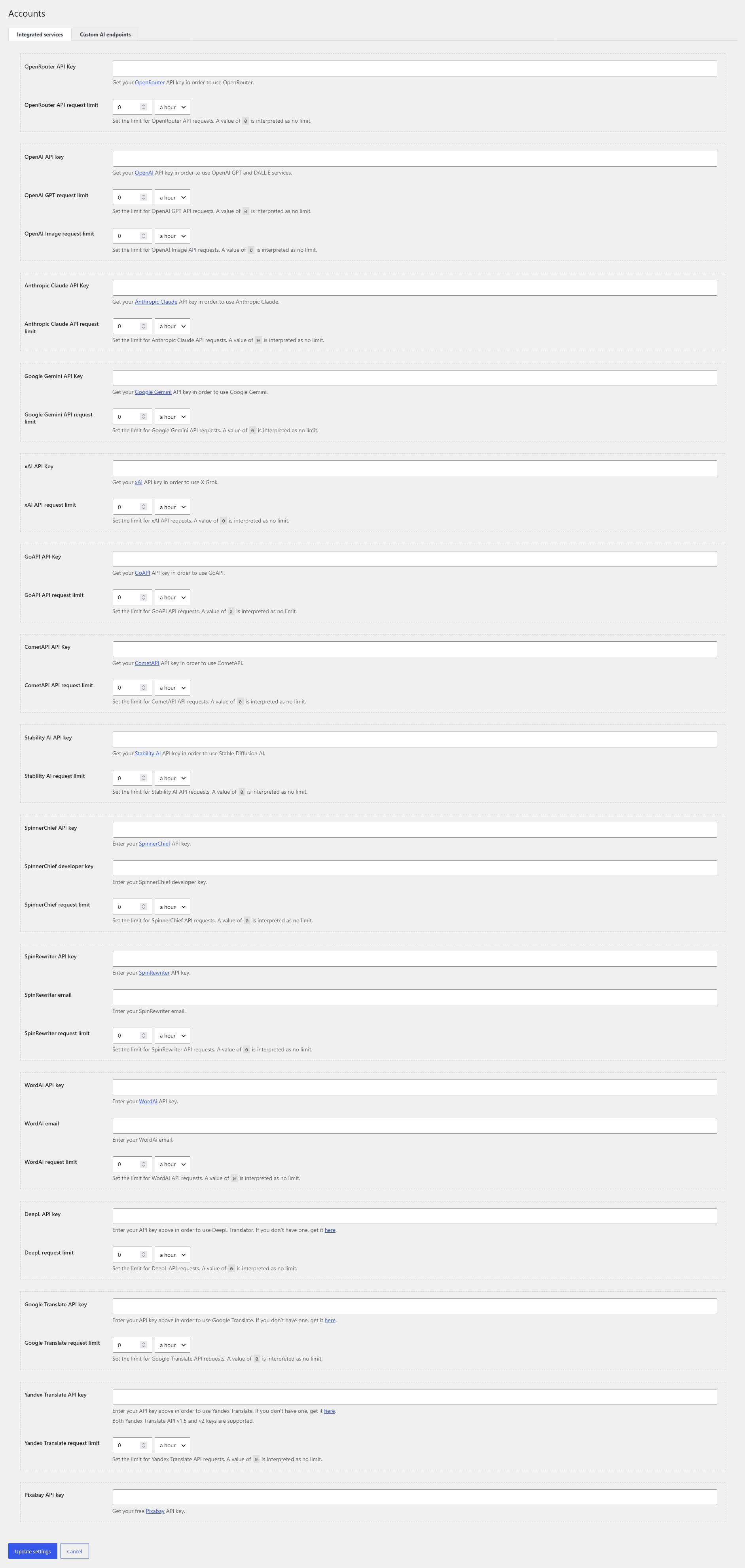
How custom endpoints workEnter your service keys, set request limits and connect custom AI endpoints from Accounts. You can also import, filter and template content without using AI.
Accounts & request limits
Click to enlargePROMPT PIPELINES
Give [gpt_article] a topic from your feed and your editorial instructions. RSS Retriever generates an outline, then writes each section in a separate AI request, passing the text already written into the next step.
The first request generates section headings from the topic, section count and your instructions. The structure parameter guides the outline; directives supplies shared writing rules.
[gpt_article
topic="%post_title%"
sections="5"
structure="Open with the problem;
end with practical next steps"
directives="Write clear HTML paragraphs.
Use this source as factual context:
%post_content_notags%"]Each writing request includes the topic, full outline, current section, instructions and accumulated article. This gives the model context for transitions and helps it avoid repeating earlier points.
As the article grows, later requests carry more input text. Length remains subject to the chosen model's context limits.
01 Write section 1
Topic + outline + instructions
Current section: 1
02 Write section 2
Topic + outline + instructions
Current section: 2 + text of section 1
03 Write section 3
Topic + outline + instructions
Current section: 3 + text of sections 1-2
Continue through the outline.Use section1, section2 and other numbered parameters to add instructions to the shared directives. Ask one section for a comparison table and another for an actionable checklist.
[gpt_article
topic="%post_title%"
sections="5"
directives="Use clear HTML. Preserve facts
from this source: %post_content_notags%"
section1="Explain the problem and who it affects"
section2="Compare the options in an HTML table"
section5="Finish with an actionable checklist"]Place the article shortcode in Post content. Process content before title and excerpt so those templates can use the finished article. Configure contextual images and SEO metadata through their own settings.
Article pipeline parameters
Click to enlargeAI IMAGE GENERATION FOR WORDPRESS POSTS
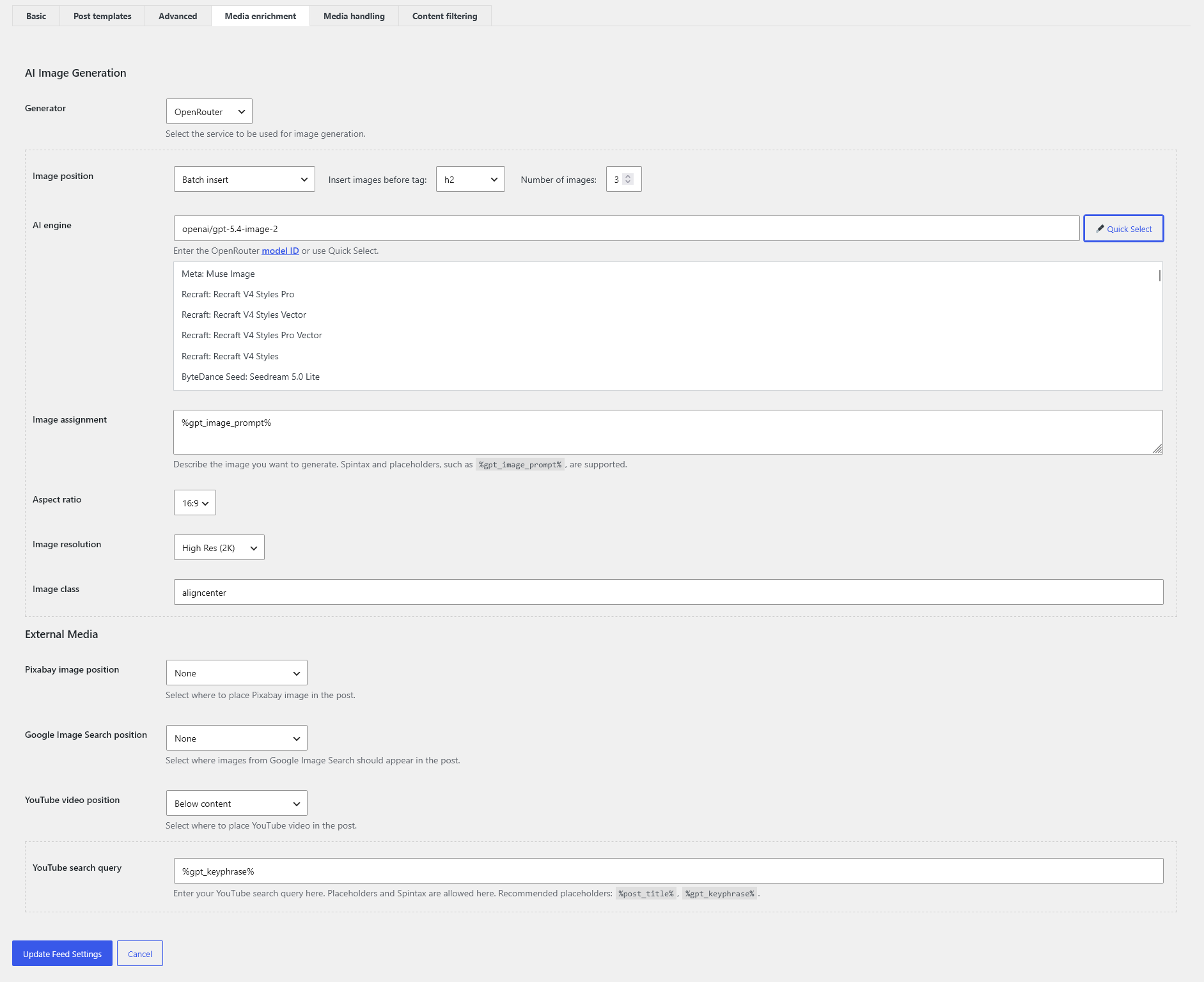
Import a plain-text article and turn it into an illustrated post. With batch insertion and %gpt_image_prompt%, RSS Retriever builds a separate image prompt from the text of each section.
Earlier prompts are considered to reduce repetition. You choose the insertion tag, image count and visual style.
Generate with Midjourney through GoAPI or CometAPI, FLUX, OpenAI image models, Stable Diffusion or image models available through OpenRouter.
Generators & image controls
Click to enlargeUse the title or an AI-generated search phrase to find a YouTube video and embed it above or below the article. Combine generated visuals with Pixabay photos or Google Creative Commons image search.
YouTube & media searchCONTENT RETRIEVAL
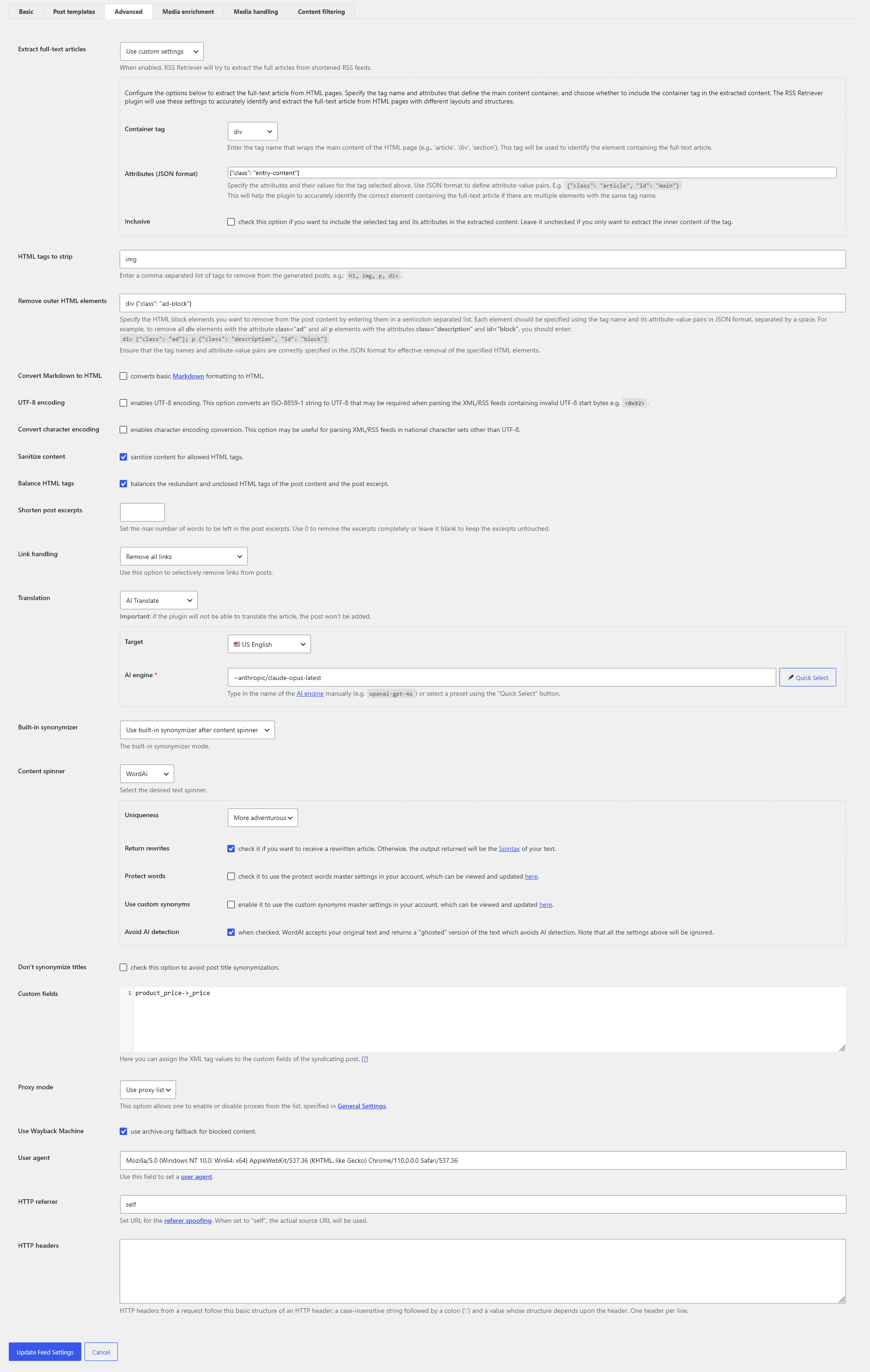
Import full articles into WordPress instead of just RSS excerpts. Extract source text, configure connections for difficult sources and retrieve older posts from WordPress archives.
Use the Full-Text RSS integration or your own HTML container rules to retrieve the article behind the feed item.
Configure proxies, user agents, referrers and HTTP headers. Use the Wayback fallback when a usable archived copy is available.
Parse older posts from WordPress archives. Import RSS, Atom, product XML and compressed feeds.
Click to enlargeConnection profiles and Wayback fallback give you more retrieval options. Results depend on source access and the availability of an archived copy.
WORDPRESS POST TEMPLATES & CUSTOM FIELDS
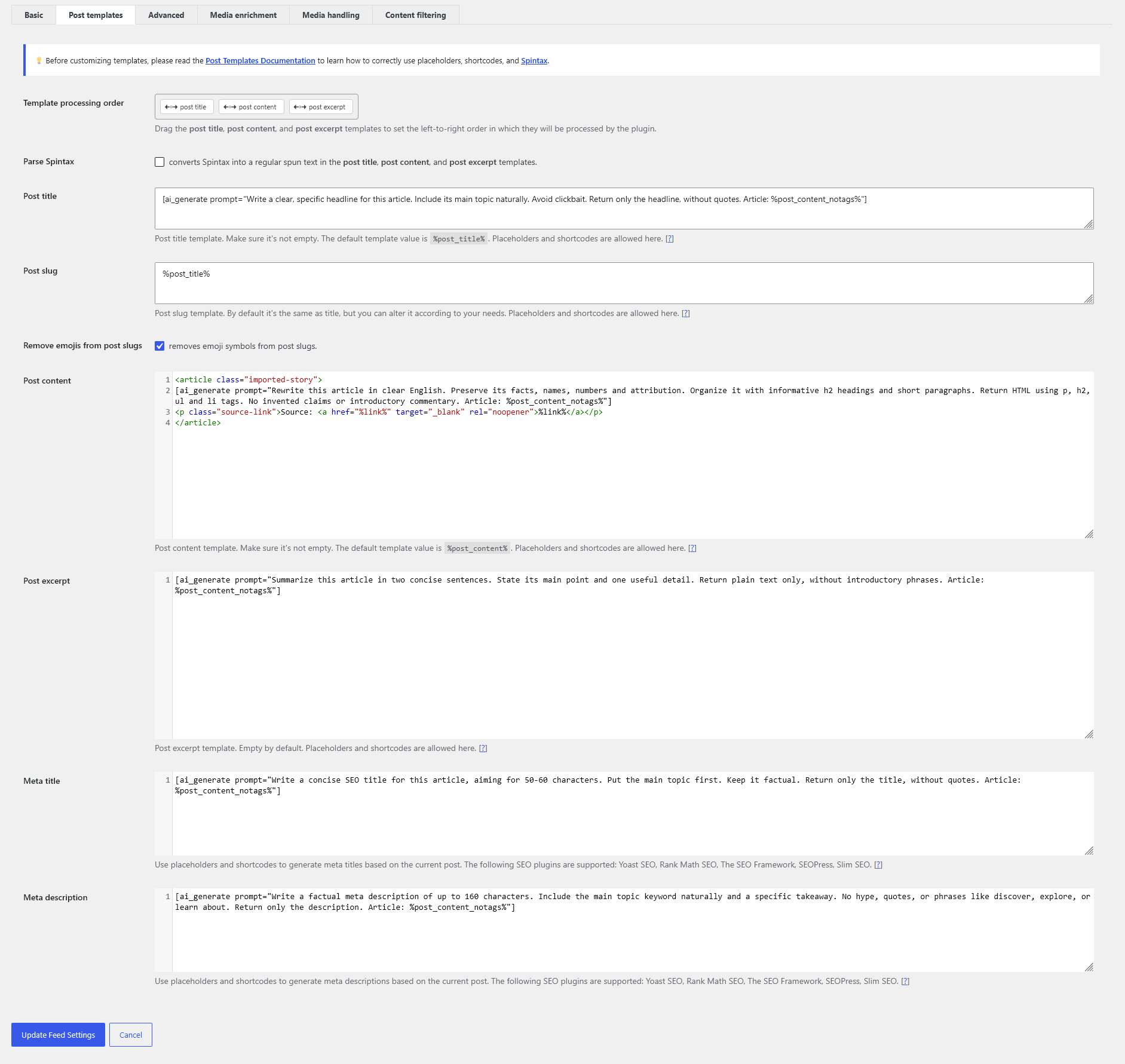
Build the HTML from reusable parts. Map source data to custom fields. Choose the post type, taxonomies and a custom template offered by your theme.
<article class="product-story">
<h2>%xml_tags[product_name]%</h2>
<p class="price">%xml_tags[price]%</p>
[ai_generate prompt="Explain these specs: %post_content%"]
<a href="%link%">View the source</a>
</article>Use templates, placeholders and AI to build SEO titles and descriptions. RSS Retriever saves them in the fields of the detected SEO plugin.
CONNECTED TRANSLATIONS
Add a copy of the feed for each language. Translate with AI, DeepL, Google or Yandex; RSS Retriever links language versions from the same source item in WPML or Polylang.
AUTOMATE THE WORK. KEEP THE DECISIONS.
Require or exclude keywords and tags. Limit age and length. Skip duplicates before turning source items into posts.
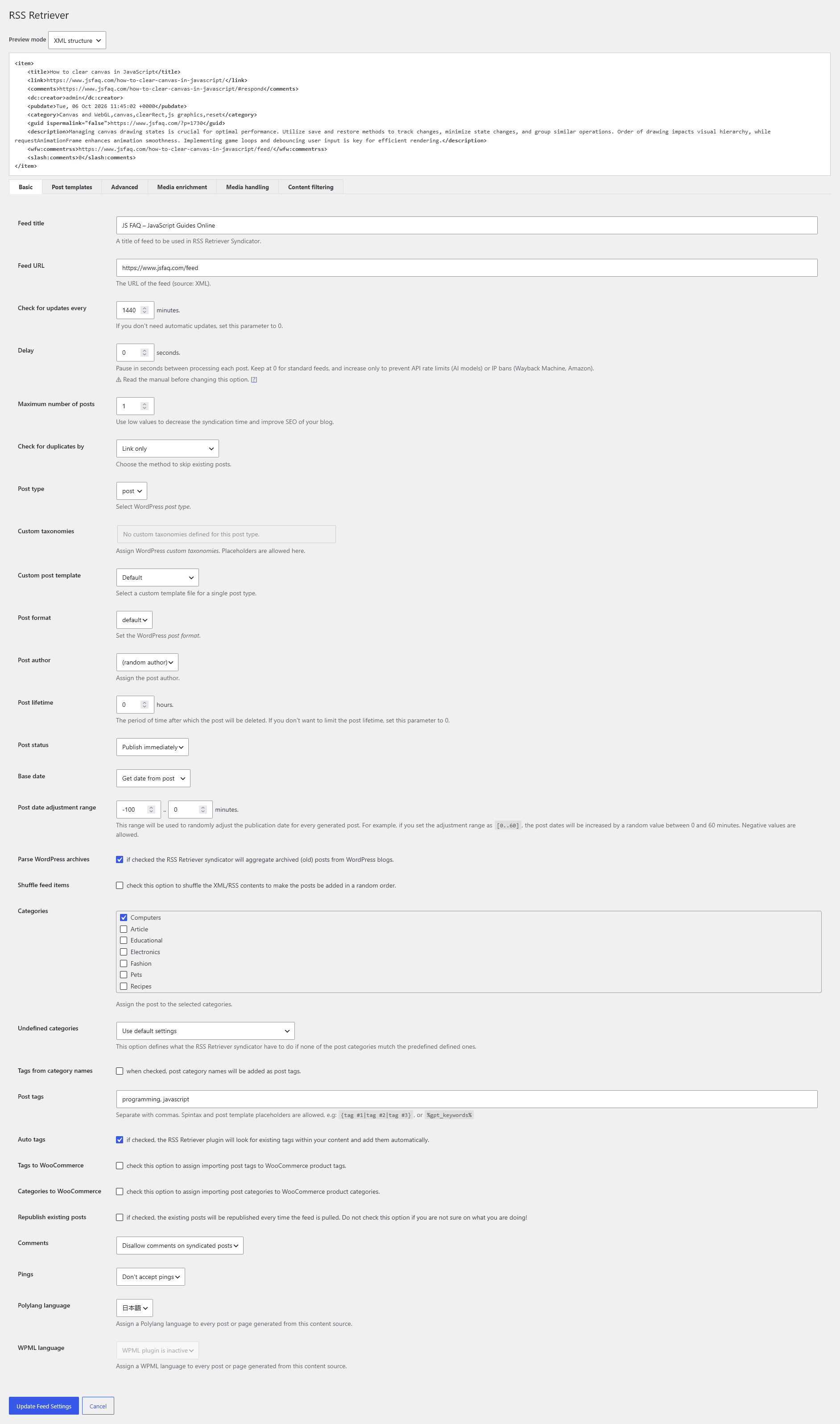
Click to enlargePreview content and raw XML. Choose categories, author, status and schedule. Publish automatically or keep new posts as drafts.
Click to enlargeUse the built-in synonymizer, Spintax, supported spinner services or the AI Spinner. Mix the tools your workflow needs, without forcing every import through an AI call.
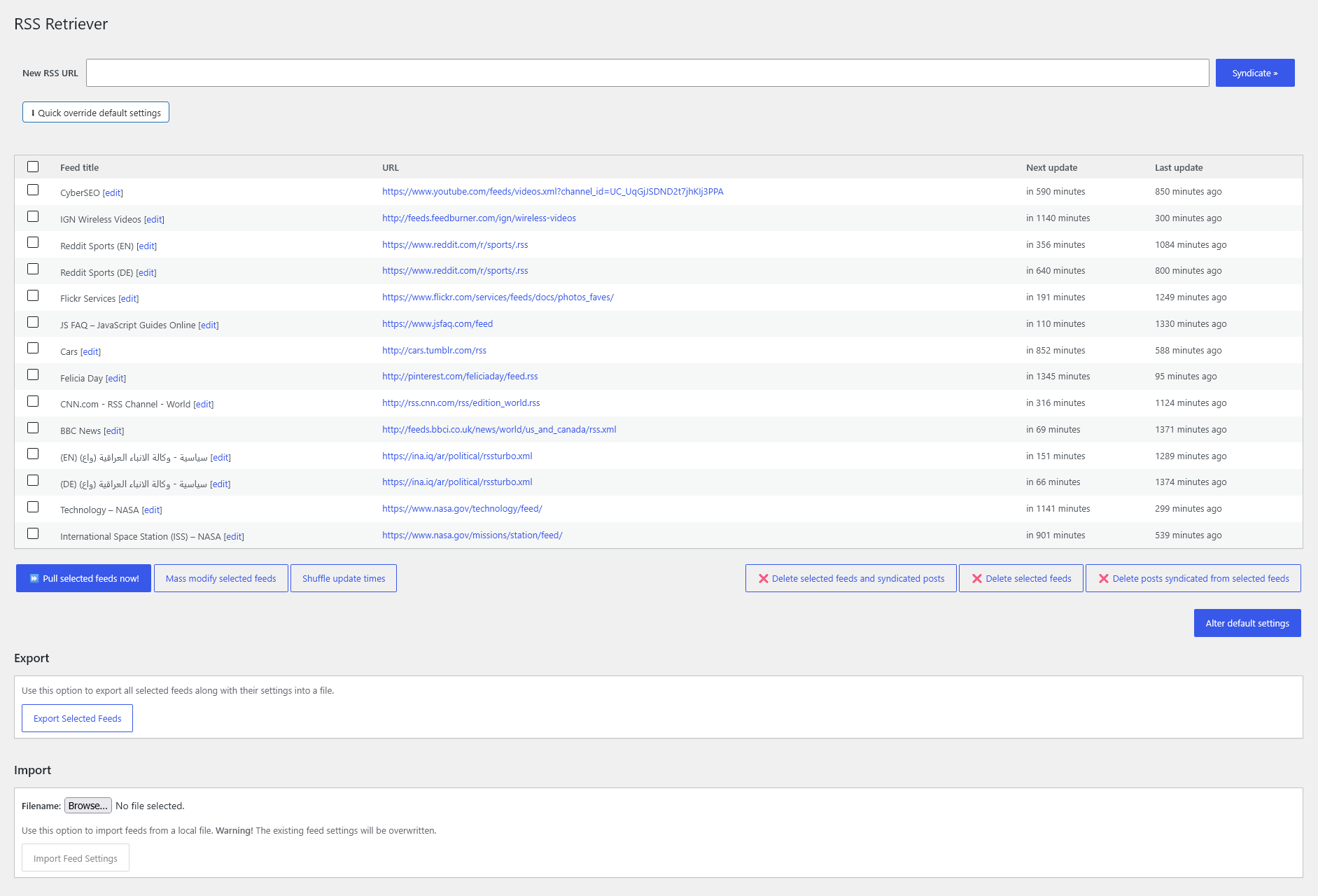
Rewriting tools →Inspect update times, pull selected feeds, mass-modify settings and move configurations between sites with export and import.
RSS feed management guide
Click to enlargeOWN THE TOOLKIT
Every feature included. Free updates and dedicated support. Choose the number of sites; pay once for the plugin.
Your AI and translation providers bill separately. Licenses can cover your own sites or your clients’ sites.
Try the free Lite version ↗7-day money-back guarantee under our refund policy.